
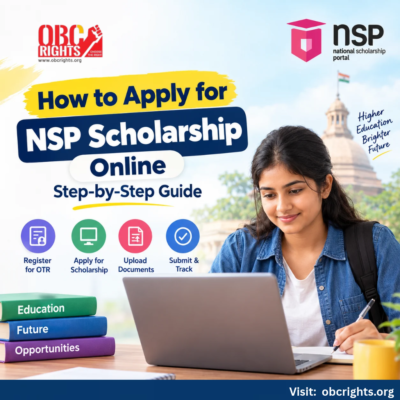
Students can apply for eligible government scholarships through the National Scholarship Portal (NSP) at scholarships.gov.in. First-time applicants must register on the portal, obtain their One-Time Registration (OTR) number, choose an eligible scholarship and complete the application form.
Here is how to apply for an NSP scholarship, from registration to final submission.
What Is the National Scholarship Portal (NSP)?
The National Scholarship Portal is a Government of India platform where students can apply for scholarship schemes offered by participating central and state government departments.
It brings scholarship information, online applications and verification services together in one place.
Who Can Apply for NSP Scholarships?
Students at different education levels can apply, depending on the scheme:
- School students: Eligible students from primary classes to Class 12.
- Diploma and UG students: Students pursuing diploma or bachelor’s degree courses.
- PG students: Students pursuing master’s degrees.
- Research scholars: Eligible PhD and research students.
Eligibility varies by scholarship, including academic qualifications, family income, category and institution.
Students can use the NSP Scholarship Eligibility Checker to identify suitable schemes.
How to Register on NSP for the First Time?
New applicants must complete One-Time Registration (OTR) before applying for a scholarship.
OTR is a unique 14-digit number issued to students for use throughout their academic career. Registration is required only once.
Step 1: Visit the NSP Website
- Open scholarships.gov.in and go to the Students section.
- Select Apply for One Time Registration (OTR).
Step 2: Complete Mobile and Aadhaar Verification
Follow the registration instructions:
- Enter your active mobile number.
- Verify the number using OTP.
- Provide your Aadhaar number or permitted Aadhaar Enrolment ID.
- Complete the required eKYC details.
- Save the registration reference number.
Step 3: Complete Face Authentication
- Download the official NSP OTR app and Aadhaar Face RD app on a compatible Android device.
- Open the NSP OTR app and follow the instructions to complete face authentication using your reference number.
- After successful verification, you will receive your 14-digit OTR number.
- Keep this number safe. It is needed for the scholarship application process.
Important: Completing OTR registration does not mean you have applied for a scholarship. You must submit a separate scholarship application.
How to Apply for NSP Scholarship Step by Step?
Once you have completed OTR registration, follow these steps to submit your application.
Step 1: Log In to the NSP Portal
- Visit scholarships.gov.in and select Apply for Scholarship under the Students section.
- Log in using your OTR number and password or another supported login method.
Step 2: Complete Your Basic Information
- Step 2: Complete Your Basic Information
- Open Basic Information and enter the requested personal, academic and institution details.
- Check that the information matches your official records before proceeding.
Step 3: Start a Fresh Application
- Go to Apply Fresh and read the instructions carefully.
- Accept the required declarations, select Scholarship as the application category and click Apply.
- NSP will generate an Application ID.
- Open My Applications, select Proceed against your Application ID and choose Fill/Edit Application Form.
Step 4: Select an Eligible Scholarship
- The portal displays available schemes based on the information entered.
- Choose the scholarship that matches your education, category, income and other eligibility conditions.
- Read the scheme guidelines carefully before continuing.
Step 5: Complete the Application and Upload Documents
- Enter the remaining details requested by your selected scholarship.
- Upload the required documents in the accepted format and file size. Make sure all details match your official records.
For a complete checklist, read our Documents Required for NSP Scholarship: Complete Student Checklist guide.
Step 6: Review and Submit Your Application
Before clicking Final Submit, verify:
- Name and personal details
- Course and institution information
- Selected scholarship scheme
- Family income and category details
- Uploaded documents
- Once the application is finally submitted, editing may not be permitted.
Save your Application ID and submission acknowledgement for future reference.
For additional guidance, read common mistakes students make when applying for scholarships.
Frequently Asked Questions
1. Is OTR mandatory for NSP scholarship applications?
Yes. Students must complete One-Time Registration before applying for scholarships through NSP. The OTR number remains valid throughout their academic career.
2. Is NSP scholarship registration free?
Yes. Students can register and apply directly through the official NSP portal free of charge. Authorised Common Service Centres may charge a prescribed fee for assisted services.
3. Can students apply for more than one scholarship through NSP?
For the 2026–27 academic year, eligible students may apply for one merit-based scholarship and one or more welfare-based schemes, subject to the rules of each scheme.
Need Help Choosing the Right Scholarship?
Not sure which scholarship matches your course, family income or community category?
OBC Rights People Centre provides guidance on scholarship eligibility, available schemes and application procedures.
Contact the People Centre:
- Erode and Sathyamangalam: +91 75988 00123
- Coimbatore: +91 99444 28101
- Gobichettipalayam: +91 86106 47453
Share your current course, year of study and scholarship-related questions to receive relevant guidance. Visit OBC Rights People Centre for more information.
OBC Rights People Centre provides scholarship information and guidance. Final eligibility, application verification and approval are determined by the responsible scholarship authorities.
Facing Problems During NSP Registration?
Having trouble with OTP verification, OTR registration, Aadhaar face authentication, login or application submission?
Read our next guide: NSP Scholarship Registration Problems and Solutions: OTR, Login & Application Errors.
Official Sources:
Information reviewed against official NSP resources on 13 October 2026. Students should confirm the requirements of their selected scholarship before applying.