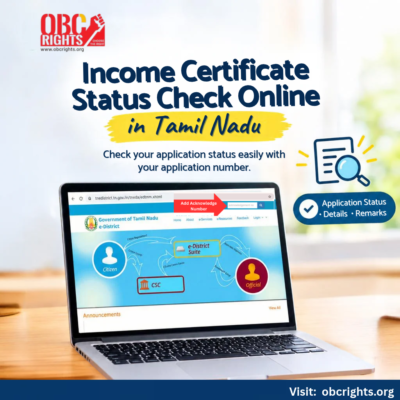
If you have already applied for an Income Certificate in Tamil Nadu, you can check your application status online using your application number or acknowledgement number. The Tamil Nadu e-District status service lets you view the latest status, remarks and other details linked to your application.
How to Check Income Certificate Status Online in Tamil Nadu
The process is simple if you already have your application or acknowledgement number.
- Open the official Tamil Nadu e-District application status page: Tamil Nadu e-District Portal
- Enter your application number or acknowledgement number in the search field.
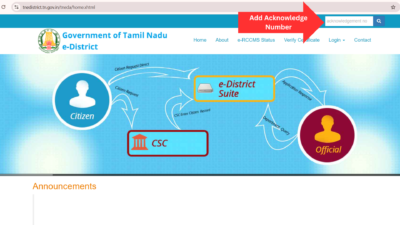
- Press Enter to retrieve your application.
- Check the status and remarks displayed on the page.
The Income Certificate is identified as REV-103 – Income Certificate in the Tamil Nadu e-District system.
If you have not applied yet, see our Income Certificate Application Guide for the application procedure.
What Details Will You See?
After entering your application or acknowledgement number, the page will show details such as your name, address, application number, service requested, status and remarks.
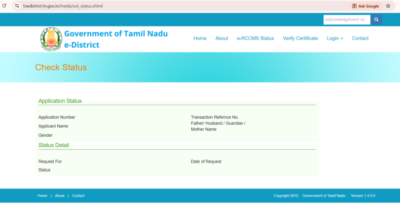
Check the status and remarks for the latest update on your application.
What If the Application Is Still Pending?
If your Income Certificate application is still being processed, check the status and remarks again for the latest update. If the remarks mention any specific action, follow the instruction shown there.
There is no need to submit another application just because your existing request is still pending.
What to Do After Approval?
Once your Income Certificate application is approved, you can proceed to obtain or download the certificate through the applicable online service.
For the download process, see our Income Certificate Download Guide.
Frequently Asked Questions
1. Where can I find my Income Certificate application or acknowledgement number?
You can find it on the acknowledgement or receipt provided when you submitted your Income Certificate application. If you applied through an e-Sevai centre, check the acknowledgement given by the centre.
2. What should I do if my Income Certificate status is not showing?
Check whether you entered the correct application number. If the application still cannot be found, verify the details on your receipt or contact the e-Sevai centre where you submitted it.
3. Can I check my Income Certificate status using my name?
The official status-check process uses the application number. Keep your application receipt available to retrieve the correct record.
4. What should I do if my Income Certificate application is rejected?
Check the remarks displayed against your application to understand the reason. Follow the instructions provided by the concerned authority before applying again.