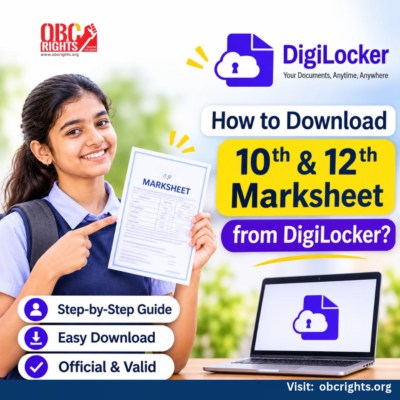
Need your Class 10 or Class 12 marksheet for college admission, a scholarship or a job application? DigiLocker marksheet download allows students to get official digital marksheets from participating education boards without visiting their schools.
You can retrieve the marksheet using your examination details, provided your board has published the record on DigiLocker.
How to Download a Marksheet from DigiLocker
Follow these steps to retrieve your 10th or 12th marksheet.
Step 1: Open DigiLocker
Visit www.digilocker.gov.in or open the official DigiLocker app. Sign in to your account.
Step 2: Find Your Education Board
Open Browse Documents, select Education, and search for the board that conducted your examination.
Step 3: Select the Marksheet
Choose the available Class 10 or Class 12 marksheet service. The document names may differ between boards.
Step 4: Enter Your Examination Details
Provide the information requested by your board, such as:
- Examination roll number
- Year of passing
- Registration number, if required
Check these details carefully before continuing.
Step 5: Get Your Marksheet
Select Get Document and provide any required consent. If your details match the board’s records, DigiLocker will retrieve the marksheet.
Step 6: Download the Document
Open Issued Documents, select your marksheet and use the available download or share option.
These steps follow the National Academic Depository’s official student instructions.
How Can CBSE Students Get Their Marksheet?
CBSE students may have a different first-time access process.
CBSE provides digital academic documents through DigiLocker. For students whose accounts are activated through the board, the marksheets become available under Issued Documents after results are released.
For example, CBSE’s account-activation instructions use a six-digit access code provided through the school.
If you have not activated your DigiLocker account:
- Ask your school for the applicable CBSE DigiLocker access code.
- Follow the activation instructions provided for your examination year.
- Sign in and check Issued Documents.
- If necessary, search for CBSE under Education and retrieve your marksheet using the requested details.
The activation code is different from the examination roll number. Do not use an older year’s instructions without checking the current guidance.
What If Your Marksheet Is Not Available?
If your 10th or 12th marksheet is not showing in DigiLocker, identify the problem before trying again.
| Problem | What to do |
| Education board not listed | Check whether the board participates in DigiLocker and has published the relevant records. |
| No record found | Verify your roll number, examination year and other requested details. |
| Details do not match | Compare the information with your original school records and contact the board if a correction is needed. |
| CBSE account not activated | Check the applicable activation instructions and contact your school for assistance. |
| Document still unavailable | Contact the issuing board or raise a request through DigiLocker support. |
For technical issues, use the official DigiLocker Helpdesk.
Can You Use a DigiLocker Marksheet for College Admission?
Yes, DigiLocker-issued marksheets have legal recognition as digital documents.
The National Academic Depository states that academic records issued through DigiLocker have legal validity under the applicable Information Technology rules.
However, colleges and recruitment authorities may specify how candidates must submit or verify their records. Always check the relevant admission notification.
A marksheet retrieved from Issued Documents is not the same as a scanned copy uploaded manually to DigiLocker Drive.
Latest Update: CBSE Marksheet Availability in 2026
CBSE confirmed that Class 12 main-examination marksheets were made available in DigiLocker after the results were declared on 13 May 2026.
It also stated that revised marksheets following verification or re-evaluation were being uploaded in phases during June 2026.
Students whose marks changed should check for the updated record instead of relying on an earlier marksheet.
Frequently Asked Questions
1. Can I Download an Old Class 10 Marksheet from DigiLocker?
Yes, if the relevant education board has published records for your examination year. Select the board and enter the required examination details.
2. Is DigiLocker Marksheet Download Free?
Yes. DigiLocker NAD allows students to access available digital academic records without a fee.
3. Can I Download a Marksheet Without My Roll Number?
Most board retrieval services require examination identifiers such as a roll number. If you have lost yours, contact your school or education board to recover the necessary details.
Get Your School Marksheet Through DigiLocker
For a successful DigiLocker marksheet download, choose the correct education board, enter accurate examination details and retrieve the document through Issued Documents.
If the marksheet is unavailable, check whether your board has published it before contacting the issuing authority or DigiLocker support.
Official References
- DigiLocker – Official Website
- National Academic Depository – Student Guide
- National Academic Depository – FAQ
- CBSE – DigiLocker Access Code Guidance
- CBSE – Class 12 Digital Marksheets Update, June 2026
Updated: 2 November 2026. Availability, document names and retrieval requirements may differ across education boards.