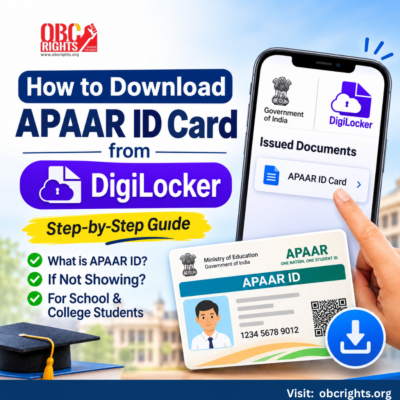
Need your APAAR ID card for school, college or an admission application? The DigiLocker APAAR ID download process is simple if your student ID has already been generated.
Sign in to DigiLocker, open Issued Documents, find your APAAR ID card and download it. If the card is missing, you may need to check its generation status first.
If you’re new to the platform, read our guide on how DigiLocker works and helps students before downloading your APAAR card.
What Is an APAAR ID?
APAAR (Automated Permanent Academic Account Registry) is a unique 12-digit student identification number introduced under the Government of India’s One Nation, One Student ID initiative.
It connects students with their academic records and the Academic Bank of Credits (ABC), helping them access educational information and manage academic credits.
How to Download APAAR ID Card from DigiLocker?
Follow these steps if your APAAR ID has already been created.
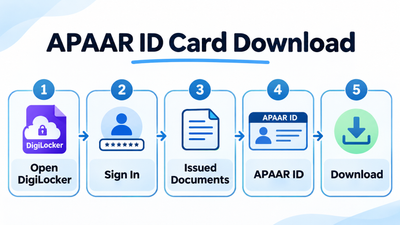
Step 1: Open DigiLocker
Visit the official DigiLocker website or open the mobile app.
Step 2: Sign In to Your Account
- Log in using your registered credentials and complete the required verification.
- Make sure you are accessing the student’s correct DigiLocker account.
Step 3: Go to Issued Documents
- After signing in, open the Issued Documents section.
- According to the official APAAR website, a school-generated APAAR ID is added to the student’s DigiLocker account after successful creation.
Step 4: Find Your APAAR ID Card
- Look for the APAAR ID Card or the relevant APAAR/ABC ID document.
- Open the card and check that your name and 12-digit identification number are correct.
Step 5: Download Your Card
- Select the available download option to save the card to your device.
- You can then access it when an educational institution requests your APAAR ID.
What If APAAR ID Is Not Showing in DigiLocker?
If your APAAR card is missing, don’t immediately create another ID. First, check whether the existing ID was generated successfully.
| Problem | What you should do |
| APAAR ID not generated | Ask your school to check the APAAR status in UDISE+. |
| Name or date of birth mismatch | Compare Aadhaar and school records. Request correction of the incorrect details. |
| Wrong DigiLocker account | Sign in to the student’s correct account and check Issued Documents. |
| College student’s ID not available | Check the official ABC/APAAR service and confirm your institution or enrolment details where required. |
| Card still missing | Contact the school, institution or official APAAR support team. |
For school students, the APAAR FAQs explain that schools can check ID generation status through the UDISE+ APAAR module.
If your APAAR ID has already been generated but is still missing from your account, follow our guide on DigiLocker documents not showing to check possible retrieval problems.
How Do School and College Students Get Their APAAR ID?
The process differs depending on the student’s educational level.
For school students: The school verifies student information and manages APAAR ID generation through UDISE+. Parental consent is required for minors. Once generated, the ID is made available in DigiLocker.
For college students: The ABC/APAAR system provides an identity linked to academic credits. Students can follow the higher-education instructions available through the official ABC resources.
If you already have an APAAR ID, retrieve the existing card rather than generating a duplicate.
Frequently Asked Questions
1. Is APAAR ID Card Download Free?
Yes. Students can access their available APAAR ID cards through DigiLocker without a download fee.
2. Where Can I Find My 12-Digit APAAR ID?
Open your APAAR ID card under Issued Documents in DigiLocker. If it is not available, school students can ask their school to check the ID generation status.
3. Do I Need to Generate a New APAAR ID to Download It Again?
No. If your APAAR ID already exists, you should access the existing card. Creating multiple APAAR IDs can lead to account and record problems.
Need Help with Your APAAR ID?
Having trouble downloading your APAAR ID or finding it in DigiLocker? Check your account details and confirm whether your ID has been generated.
For additional help and guidance, visit the OBC Rights People Point to understand the next steps and where to seek assistance
Official References
- APAAR – How to Get Your APAAR ID
- APAAR – Official FAQs
- DigiLocker – Official Website
- Academic Bank of Credits – Student Resources
Updated: 3 November 2026. Steps and document labels may vary slightly by account or app version.