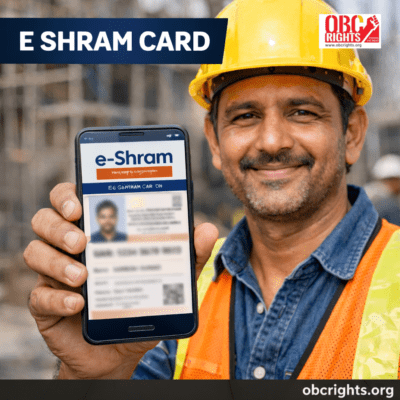
The e shram card download process is one of the most searched topics among unorganized workers in India. Millions of workers registered on the e-Shram Portal under the Ministry of Labour and Employment are now looking to download their card, check benefits, and update details.
This complete guide explains everything in simple language — how to download the card by mobile number, apply online, check benefits, update details, and understand eligibility.
What is the E-Shram Card?
The e-Shram Card is a 12-digit Universal Account Number (UAN) issued to workers in the unorganized sector. It creates a centralized database so workers can access social security schemes and government support.
The card acts as an identity proof for unorganized workers across India.
E Shram Card Download: Step-by-Step Process
If you have already registered, follow these steps to download your card:
Method 1: Download Using Mobile Number
- Visit the official E-Shram portal
- Click on “Already Registered? Update / Download”
- Enter your Aadhaar-linked mobile number
- Verify with OTP
- Enter your UAN number (if asked)
- Click on download
- Save the PDF and take a printout
- Download is completely free
You can download multiple times
Method 2: E-Shram Card Download by UAN Number
If you remember your UAN:
- Visit the portal
- Select login option
- Enter UAN + OTP verification
- Download your card instantly
E Shram Card Apply Online – Registration Process
If you haven’t completed your registration yet, follow the steps below to apply and generate your E Shram card easily:
- Go to the official E-Shram website
- Click on “Register on e-Shram”
- Enter Aadhaar-linked mobile number
- Complete OTP verification
- Fill personal details
- Add occupation details
- Provide bank account details
- Submit and generate UAN
- After registration, you can immediately download your card.
Documents Required for E-Shram Card
To register on the e-Shram Portal, workers need a few basic details for verification.
Required documents:
- Aadhaar Card for identity verification
- An Aadhaar-registered mobile number is needed to get the OTP during registration.
- Bank account details for Direct Benefit Transfer (DBT)
- Occupation information about the type of work
- Address details of the applicant
In most cases, document upload is not required, as verification is done through Aadhaar authentication.
Who Can Apply?
The scheme is meant for workers in the unorganized sector such as:
- Construction workers
- Agricultural labourers
- Street vendors
- Domestic workers
- Migrant workers
- Auto drivers
- Small shop employees
Age Limit to apply for E-Shram Card:
- 16 to 59 years
Not Eligible:
- Income tax payers
- EPFO members
- ESIC members
E Shram Card Benefits
Understanding the benefits is important before applying.
1. Accident Insurance Coverage
Registered workers receive ₹2 lakh accidental insurance coverage under government schemes.
2. Access to Social Welfare Schemes
Workers may become eligible for future central and state welfare programs.
3. Direct Benefit Transfers (DBT)
Government financial assistance can be credited directly to the bank account.
4. Nationwide Recognition
The UAN number is valid across India.
E Shram Card Check Balance – Important Clarification
Currently, there is no official “balance check” feature on the E Shram portal.
The E Shram Card is not a bank account. It is a registration platform.
If the government announces any financial assistance, the amount will be directly credited to your registered bank account. To check money status:
- Check your bank account
- Visit your bank branch
- Use mobile banking or ATM
Always verify news from official government sources before believing viral messages.
Common Problems & Solutions
1. OTP Not Receiving?
- Ensure mobile is linked with Aadhaar
- Check network signal
- Try after some time
2. Forgot UAN?
- Login using mobile number
- Retrieve UAN through OTP
3. Wrong Bank Details?
Use update option immediately
Frequently Asked Questions (FAQs)
1. Is the E-Shram Card mandatory?
No. It is voluntary but highly beneficial.
2. Is there any fee for download?
No. Registration and download are completely free.
3. Can I register without Aadhaar?
No. Aadhaar is mandatory.
4. Can one person have two E-Shram cards?
No. Only one UAN per worker is allowed.
Final Words
The e shram card download process is simple and free. Whether you want to apply online, update details, check benefits, or download using your mobile number, everything can be done through the official portal.
For unorganized workers, this card acts as a gateway to social security and future government welfare schemes.
Apply online today, the process is simple, free, and takes only a few minutes.
Stay informed. Stay updated. Protect your rights.
If you need help with registration, downloading your card, or updating details, contact obcrights People Centre for assistance.