A GST Certificate is an official document issued by the Government of India to businesses that are successfully registered under the Goods and Services Tax (GST) system. It serves as legal proof that a business is authorized to collect GST, claim input tax credit (ITC), and operate across India in compliance with GST laws.
If you already have a GSTIN or have recently completed GST registration, this guide explains how to download your GST certificate, what details it contains, when you may need to download it again, and how to resolve common issues users face.
If you have not registered under GST yet, you must complete GST registration to download your certificate. Read our detailed guide on GST Registration Process and register today.
What Is a GST Certificate?
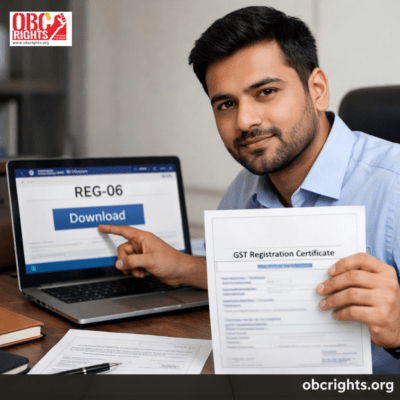
It is issued in Form GST REG-06 after the approval of a GST registration application. It confirms that the business is officially registered under GST and is recognized by tax authorities.
Each GST certificate contains essential business and registration details that are used during invoicing, audits, banking, tenders, and compliance checks.
Key Details Mentioned on a GST Certificate
- GSTIN (15-digit GST registration number)
- Legal name and trade name of the business
- Constitution of business (proprietorship, partnership, company, LLP, etc.)
- Principal place of business address
- Additional places of business (if any)
- Date of GST registration
- Type of registration (Regular, Composition, Casual, Non-Resident)
- Details of authorized signatories
- Issuing tax authority
Who Can Download the GST Certificate?
You can download the GST certificate if:
- Your GST registration is approved
- Your GST status is active
- You have valid GST portal login credentials
When the Certificate Is NOT Available
- Registration application is still under processing
- GSTIN is suspended or cancelled
- Registration was rejected
How to Download GST Certificate Online (Step-by-Step)
Once GST registration is approved, the certificate can be downloaded anytime from the official GST portal.
Step 1: Log in to the GST Portal
Visit the official GST website and log in using your GSTIN/username and password.
Step 2: Go to Certificate Section
Navigate to:
Services → User Services → View/Download Registration Certificate
Step 3: Download GST Certificate PDF
- Select GST Registration Certificate (REG-06)
- Click Download
- The certificate will be downloaded in PDF format
- You can save it digitally and print it for display.
Can the GST Certificate Be Downloaded Multiple Times?
Yes. There is no limit on how many times you can download your GST certificate. You may need to download it again after:
- Address change
- Business name amendment
- Addition of business locations
- Change in partners or directors
- Each approved amendment generates an updated GST certificate.
Original vs Amended GST Certificate
| Aspect | Original Certificate | Amended Certificate |
| Issued when | First GST approval | After approved changes |
| Form | REG-06 | REG-06 (updated) |
| Old certificate valid? | No | Replaced by latest |
| Download location | GST portal | GST portal |
Always use the latest version for compliance.
Validity of GST Certificate
- Regular taxpayers: Valid until surrendered or cancelled
- Composition scheme: Valid as long as composition status continues
- Casual / Non-resident taxpayers: Valid only for the approved period
- If GST registration is cancelled, the certificate becomes invalid.
Common Problems While Downloading GST Certificate (And Solutions)
1. Certificate Not Visible
- Check registration status
- Ensure application is approved
2. Forgot GST Portal Password
- Use “Forgot Username/Password” on the login page
3. PDF Not Opening
- Update your PDF reader
- Try another browser or device
4. Wrong Details on Certificate
- Apply for amendment through GST portal
- Download the updated certificate after approval
Is a Digital GST Certificate Legally Valid?
Yes. A digitally downloaded certificate PDF is legally valid across India. You can use it for:
- Banking
- Audits
- Vendor verification
- Online submissions
However, GST law requires that a printed copy be displayed at the business premises.
How to Verify GST Certificate Authenticity
You can verify GST details by:
- Using the GSTIN search feature on the GST portal
- Matching certificate details with portal records
- This helps vendors, banks, and clients confirm your registration status.
Frequently Asked Questions (FAQs)
Q1. What form is the GST certificate issued in?
GST registration certificate is issued in Form GST REG-06.
Q2. Can I download GST certificate without logging in?
No. Login to the GST portal is mandatory.
Q3. How many days after registration can I download the certificate?
Once GSTIN is approved, the certificate is available immediately.
Q4. Is GST registration certificate required for MSME loans?
Yes. Banks and NBFCs commonly ask for REG-06 as proof of registration.
Q5. Do I need a separate certificate for each branch?
No. All registered locations are included in one certificate.
Key Takeaways
- GST Certificate is issued in REG-06 after approval
- Download it from the official GST portal
- Valid as long as GST registration remains active
- Must be displayed at the business location
- An updated certificate is issued after amendments
- Digital PDF is legally valid across India
Final Note
If you already have a GSTIN, downloading and maintaining your GST registration certificate is essential for smooth business operations and compliance. Always keep the latest version saved and displayed to avoid penalties or operational issues.