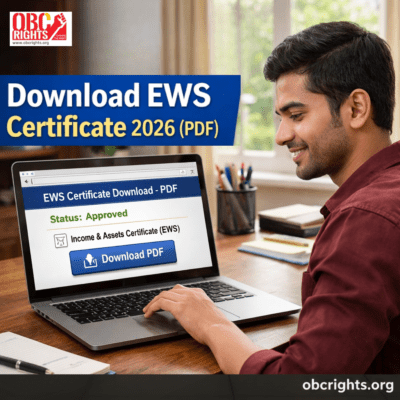
EWS certificate download online is available after your application is approved by the revenue department or the concerned issuing authority. Once approved, you can download the certificate in PDF format from your state’s official citizen service portal.
Applicants can usually access the EWS certificate using their application number, reference ID, registered mobile number, or login credentials, depending on the state system.
This guide explains the complete EWS certificate download process, PDF access steps, status check method, state-wise portals, validity, and common issues in 2026.
If you have not yet applied for the EWS certificate, you can first complete the application process by following our detailed guide on how to apply for an EWS certificate online.
EWS Certificate Download – overview
EWS certificate download is available after approval from the state revenue department. Applicants can instantly download the EWS certificate PDF from their state e-district or citizen service portal using their application number, registered mobile number, or login credentials.
In most cases, the download option appears immediately once the status is marked “Approved”.
Quick steps:
- Visit your official state government citizen service portal (e-district / e-Sevai / RTPS)
- Open the “Application Status” or “Download Certificate” option in your state portal
- Enter your application number or mobile number
- Complete OTP or captcha verification
- Click on “Download Certificate”
- Save the EWS certificate PDF on your device
Once downloaded, you can print the certificate for admissions, scholarships, competitive exams, or government job verification.
What is an EWS Certificate?
An EWS certificate, officially called the Income and Asset Certificate, is issued to individuals belonging to the Economically Weaker Section under the General category.
The certificate confirms that the applicant’s family income and assets fall within the limits prescribed by the Government of India for EWS reservation benefits.
The EWS reservation system was introduced through the 103rd Constitutional Amendment, which created a 10% reservation quota in:
- Government jobs
- Educational institutions
- Competitive examinations
The certificate is commonly required during:
- College admissions
- Government recruitment
- Counselling verification
- Scholarship applications
- Entrance examinations
Because many institutions ask for a current financial year certificate, applicants should keep a downloaded PDF copy ready for verification.
EWS Certificate Download PDF Online
After your application receives approval, the EWS certificate PDF becomes available for online download through the same portal where the application was submitted.
The exact process may differ slightly between states, but the overall method remains similar across India.
How to Download EWS Certificate Online
Step 1: Visit the Official Portal
Visit your respective state’s official citizen service portal, such as the following platforms:
- TN e-Sevai
- UP eDistrict
- RTPS Bihar
- Aaple Sarkar Maharashtra
- Nadakacheri Karnataka
Step 2: Open Application Status or Certificate Section
Look for options like:
- Track Application Status
- Issued Certificates
- Download Certificate
- Revenue Certificates
Step 3: Enter Application Details
Provide the required details such as:
- Application number
- Reference ID
- Registered mobile number
- OTP or captcha verification
Always enter the information exactly as submitted during the application.
Step 4: Check Approval Status
Click on “Submit” or “Track Status”.
If the application status shows:
- Approved → Download option will appear
- Pending → Verification is still in progress
- Rejected → Correction or reapplication may be required
Step 5: Download EWS Certificate PDF
After approval:
- Click “Download Certificate”
- Open the PDF file
- Save the document on your mobile or computer
- Print a copy if needed
The downloaded PDF usually contains:
- Certificate number
- Applicant details
- Issuing authority
- Digital signature or QR code
State-Wise EWS Certificate Download Portals
| State | Portal |
| Tamil Nadu | TN e-Sevai |
| Uttar Pradesh | eDistrict UP |
| Bihar | RTPS Bihar |
| Maharashtra | Aaple Sarkar |
| Karnataka | Nadakacheri |
| Rajasthan | eMitra |
| Andhra Pradesh | MeeSeva |
| Telangana | TS MeeSeva |
| Madhya Pradesh | MP eDistrict |
| Odisha | Odisha eDistrict |
Applicants should always use the official government portal of their respective state.
EWS Certificate Download by Application Number
Most portals provide certificate access using the application number generated during registration.
To download:
- Open the official portal
- Enter the application number
- Verify using OTP or captcha
- Download the EWS certificate PDF
The application number is usually sent through:
- SMS
- Acknowledgement receipt
- Email confirmation
EWS Certificate Download by Mobile Number
Some state portals also allow applicants to retrieve the certificate using the registered mobile number.
In such cases:
- Enter the mobile number
- Verify OTP
- Access submitted applications
- Download the approved certificate
This option is helpful when you do not have your application number available.
How to Check EWS Certificate Status Online
Before downloading the certificate, applicants should verify whether the application has been approved.
Steps to Track EWS Certificate Status
- Visit the state portal
- Open “Track Application Status”
- Enter application details
- Complete OTP or captcha verification
- View the current status
Possible status messages include:
- Under Verification
- Pending at the Revenue Officer
- Approved
- Rejected
Only approved applications can be downloaded.
How Many Days Does It Take to Get an EWS Certificate?
The processing time for EWS certificates generally ranges between 7 to 21 working days.
The approval duration may vary depending on:
- State rules
- Document verification
- Revenue department workload
- Correction requests
Applications with incomplete documents may take longer.
How to Print EWS Certificate Online
After downloading the PDF:
- Open the certificate file
- Click the print option
- Use A4-size paper
- Keep both the soft copy and the printed copy safe
Many colleges and government offices require printed copies during verification.
EWS Certificate Download Problems and Solutions
1. Certificate Not Showing Online
Your application may still be under verification. Wait for approval before attempting the download.
2. Invalid Application Number
Check whether the reference number has been entered correctly. Avoid typing errors or extra spaces.
3. OTP Not Received
Network delays or incorrect mobile numbers may prevent OTP delivery. Try again after a few minutes.
4. PDF File Not Opening
Download the file once more and try opening it with any PDF viewer app.
5. Portal Server Error
Official government websites may run slowly during busy traffic hours.
EWS Certificate Validity
The EWS certificate is typically valid for one financial year and needs renewal every year.
Applicants seeking continued reservation benefits usually need to apply for a fresh certificate every year.
Many institutions require the certificate to be issued in the current financial year during:
- Admissions
- Counselling
- Recruitment verification
Keeping the certificate updated is important.
Important Documents Required for EWS Verification
Authorities may verify:
- Aadhaar card
- Income proof
- Address proof
- Property or asset documents
- Passport-size photograph
- Family details
Incorrect or incomplete documents can delay approval.
Can EWS Certificate Be Downloaded Through DigiLocker?
In some states, issued certificates may also become available through DigiLocker integration.
However, availability depends on:
- State government integration
- Department digitization
- Certificate syncing systems
Applicants should first check the official state portal.
FAQs on EWS Certificate Download
1. How can I download my EWS certificate online?
Visit the official state portal, enter your application details, verify OTP or captcha, and download the approved PDF certificate.
2. Where can I download EWS certificate PDF?
The certificate PDF can usually be downloaded from portals such as eDistrict, e-Sevai, RTPS, MeeSeva, or other state citizen service websites.
3. Can I download EWS certificate without application number?
Some portals allow certificate access using the registered mobile number or login credentials.
4. Why is my EWS certificate not approved yet?
Applications may remain pending due to document verification delays or incomplete information.
5. Can I reprint EWS certificate online?
Yes. Approved certificates can generally be downloaded and printed multiple times from the portal.
6. Is EWS certificate mandatory for EWS reservation benefits?
Yes. The certificate is required to claim EWS reservation in admissions, government jobs, and many competitive examinations.
Which portal is used for EWS certificate download in Tamil Nadu?
Applicants in Tamil Nadu usually access the certificate through the TN e-Sevai portal.
Official Verification Notice
Applicants should download the EWS certificate only from official government portals. Before using the certificate for admissions or recruitment, always verify:
- Certificate number
- Applicant details
- Issuing authority
- Digital signature or QR verification
Avoid using unofficial websites or unauthorized agents.
Final Words
EWS certificate download online is a simple process once the application receives approval from the concerned authority. By accessing the official state portal and entering the correct application details, applicants can quickly obtain the EWS certificate PDF for admissions, government jobs, scholarships, and document verification.
Keeping both digital and printed copies ready helps avoid delays during counselling or recruitment procedures. Applicants should also renew the certificate whenever required to continue receiving EWS reservation benefits.
Note:
This information is based on official state e-district and citizen service portal procedures used for issuing EWS certificates across India. Applicants should always verify updates from their respective state revenue department portals.
For more details or guidance reach out our obcrights People Centre helpline: +91 7598800123