After applying for an OBC certificate, the next important step is tracking the application and downloading the certificate once it is approved. Many applicants are unsure where to check the status or how to download OBC Certificate online.
Why Checking OBC Certificate Status is Important
To download the certificate, first check the present status of your certificate online to know:
- Whether it is approved or pending
- Identify if additional documents are required
- Avoid last-minute issues during job or college applications
- Download the certificate on time
Always keep your application or reference number safe after submission.
How to Check OBC Certificate Status Online
In Tamil Nadu, applications are processed through the official e-Sevai portal operated by the Tamil Nadu e-Governance Agency.
Steps to Check Status:
- Visit the official Tamil Nadu e-Sevai website.
- Log in using your registered mobile number or credentials.
- Go to the “Track Application” or “Application Status” section.
- Enter your application/reference number.
- Submit to view the current status.
The system will show whether your application is:
- Under processing
- Approved
- Rejected
- Sent for verification
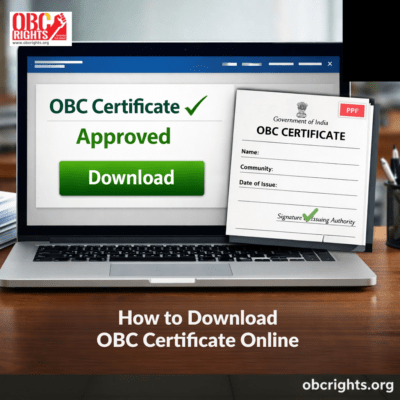
If it is approved, you can download the certificate.
How to Download OBC Certificate Online in Tamil Nadu
Once your application is approved:
- Log in to the e-Sevai portal.
- Go to “Approved Applications” or the download section.
- Select your application.
- Click on the download option.
- Save the certificate as a PDF and take a printout.
Make sure the certificate contains:
- Correct name
- Correct community details
- Issue date
- Official seal or digital signature
Common Errors While Downloading OBC Certificate
Many applicants face small technical issues. Some common problems include:
- Entering an incorrect application number
- Using the wrong login credentials
- Application still under processing
- Portal temporarily unavailable
- Certificate not yet digitally signed
If the portal shows an error, wait for some time and try again. If the issue continues, contact the local e-Sevai center or Revenue office.
What if the OBC Certificate Status Shows “Rejected”?
If your application is rejected, do not panic.
Common reasons include:
- Incorrect income details
- Community not matching official records
- Incomplete document upload
- Address mismatch
In most cases, you can:
- Reapply with the correct documents
- Visit the issuing authority for clarification
- Submit additional proof if required
Carefully check the rejection reason before submitting a fresh application.
How Much Time Is Required to Receive an OBC Certificate?
Processing time usually ranges between:
- 7 to 15 working days in many districts
- Up to 30 days in some cases
Delays may happen due to document verification or heavy application load.
How to Renew OBC Certificate?
An OBC (Non-Creamy Layer) Certificate is generally valid for one year from the date of issue. After expiry, candidates must apply for renewal to continue using it for jobs, competitive exams, or college admissions.
Steps to Renew OBC Certificate
- Check the expiry date mentioned on your existing certificate.
- Keep updated income proof of parents/guardian for the latest financial year.
- Collect required documents such as Aadhaar card, community certificate, and previous OBC certificate copy.
- Visit the official Tamil Nadu e-Sevai portal or approach the nearest e-Sevai centre.
- Select the OBC (Non-Creamy Layer) certificate service and choose the renewal option (or apply fresh if renewal option is unavailable).
- Fill in the required personal and income details carefully.
- Upload supporting documents correctly in the prescribed format.
- Pay the applicable service charge.
- Note down the new application/reference number for tracking.
- Track the renewal status online just like a fresh application.
Once approved, download the renewed certificate from the portal.
Important Tips for Applicants
- Keep your application number safe.
- Double-check uploaded documents.
- Download the certificate immediately after approval.
- Ensure the certificate format matches job or college requirements.
- Apply well before deadlines.
Frequently Asked Questions
Q1. How can I check my OBC certificate online?
You can track your application using the official state portal where you applied.
Q2. Can I download OBC certificate online?
Yes, once approved, you can download it in PDF format from the portal.
Q3. What should I do if my certificate is not showing for download?
Check if it is approved. If approved but not visible, contact the issuing office.
Q4. Is the downloaded certificate valid?
Yes, it is valid for one year from the date of issue, provided it bears the official seal and authorized signature (or digital signature) of the issuing authority.
Conclusion
Tracking and downloading your OBC certificate is a simple process if you follow the correct steps. Always use the official government portal and keep your reference number secure.
Checking the status regularly ensures that you can respond quickly if there is any issue or rejection.
Apply early, verify documents carefully, and download the certificate as soon as it is approved.