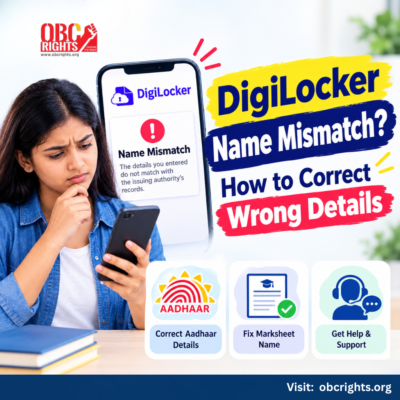
Getting a DigiLocker name mismatch error while downloading your marksheet, degree certificate or other official document?
This usually happens when the name or date of birth in your DigiLocker-linked Aadhaar details does not match the issuing organisation’s records.
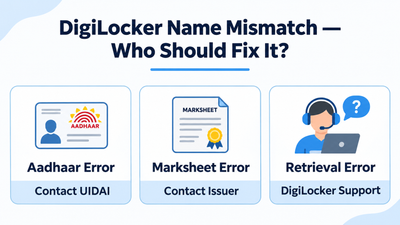
The solution is to correct the record that contains the error. You cannot simply edit an officially issued document inside DigiLocker.
Why Does DigiLocker Show a Name Mismatch?
DigiLocker checks information supplied by the user against records maintained by the document issuer.
For example, your Aadhaar may show Ravi Kumar, while your university marksheet shows Ravi K. This difference may prevent the document from being retrieved.
Here are common problems and their solutions.
| Problem | How to fix it |
| Wrong name in Aadhaar | Request an Aadhaar correction through UIDAI. |
| Wrong name on marksheet | Contact your school board or university for correction. |
| Incorrect date of birth | Check which official record contains the error and follow that authority’s correction process. |
| Wrong details entered during retrieval | Re-enter the correct roll number, registration number or other requested information. |
| DigiLocker still shows old details | Refresh the Aadhaar information after UIDAI has completed the update. |
How to Correct Your Name in DigiLocker
The correct method depends on where the mistake appears.
1. If Your Aadhaar Name Is Incorrect
DigiLocker receives Aadhaar profile information from UIDAI. You cannot directly change these details inside DigiLocker.
To correct them:
- Visit the official UIDAI website.
- Check the procedure for updating your Aadhaar details.
- Visit an authorised Aadhaar enrolment or update centre where required.
- Submit the documents requested for the correction.
- Wait until the updated details appear in your Aadhaar record.
Once the correction is complete, sign in to DigiLocker and refresh your Aadhaar information.
According to DigiLocker’s official FAQ, this can be done through the Aadhaar document option and the available e-KYC verification process.
2. If Your Name Is Wrong on a Marksheet or Degree Certificate
Suppose your Aadhaar details are correct, but your DigiLocker marksheet contains an incorrect name.
- In this situation, contact the education board or university that issued the marksheet.
- Ask about its correction procedure and provide the supporting records it requires.
- The institution must correct the original academic record and update the digital document through its authorised process.
- DigiLocker cannot independently change the name printed on an official marksheet.
For other retrieval problems, read our guide on DigiLocker documents not showing.
What If the Name Is Correct but the Document Still Cannot Be Fetched?
First, compare the information in your Aadhaar and the original document.
Then check whether you selected the correct issuing organisation and entered the required document details accurately.
If the official records match but retrieval still fails, submit a request through the DigiLocker Helpdesk.
Include the issuer name, document type and error screenshot. Share personal records only through the official support process, and never disclose your OTP or security PIN.
If you’re trying to access your student ID, follow our guide on how to download APAAR ID from DigiLocker for the steps to retrieve your existing card.
Frequently Asked Questions
1. Can I Change My Name Directly in DigiLocker?
You cannot directly edit the Aadhaar name shown in DigiLocker or the name on an issuer-provided certificate. The relevant issuing authority must correct the underlying record.
2. Will Updating Aadhaar Automatically Correct My Marksheet?
No. Updating Aadhaar does not automatically change a marksheet issued by a school board or university. Each organisation maintains its own records.
Need Help with DigiLocker Name Correction?
If you are facing a DigiLocker name mismatch, identify whether the error is in Aadhaar, the academic certificate or the information entered during retrieval. Correct the relevant source record before trying again.
For additional guidance on student documents and digital services, visit OBC Rights People Point.
Official References
- DigiLocker – Frequently Asked Questions
- UIDAI – Official Website
- National Academic Depository – FAQ
- APAAR – Official FAQs
- DigiLocker – Official Support
Updated: 3 November 2026. Correction procedures and required documents depend on the issuing organisation.