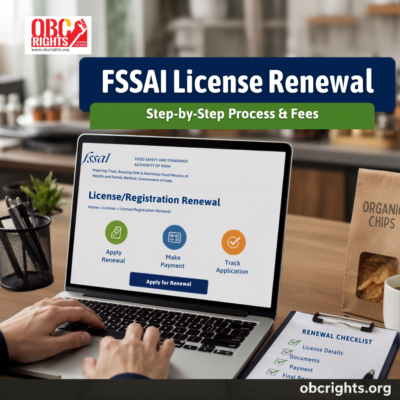
If your food business already has an FSSAI registration or licence, renewal is what keeps it active. FSSAI license renewal is done through the FoSCoS portal before the current certificate expires. In most cases, you need your existing FSSAI number, business details, supporting documents, and the renewal fee. Once the application is approved, the renewed certificate can be downloaded online.
Before You Start FSSAI Renewal: Keep These Details Ready
A lot of renewal delays happen because businesses start the process without basic details in hand. Before opening FoSCoS, keep these ready:
- Existing FSSAI registration or licence number
- Business name exactly as it appears on the current FSSAI record
- Active mobile number and email ID
- Copy of the existing FSSAI certificate/licence
- Updated address or business details, if anything has changed
- Documents required for your specific type of food business
This preparation makes FSSAI license renewal much easier because you do not have to stop midway to find an old certificate, correct a business name, or arrange missing documents.
Which FSSAI Approval Are You Renewing?
FSSAI approvals usually fall into three categories:
- Basic Registration – generally taken by small-scale food businesses and petty food vendors.
- State Licence – usually for medium-scale food businesses operating within one state
- Central Licence – generally for larger food businesses, importers/exporters, major manufacturers, and businesses that fall under central licensing rules
The renewal flow is broadly similar across all three, but the document requirements and fee amount can differ. So before starting FSSAI license renewal, confirm which approval your business already holds.
How to Renew FSSAI License Online?
FoSCoS gives food businesses two practical ways to complete FSSAI license renewal:
- Renewal through FoSCoS login
- Apply for renewal without sign in
Both methods are useful, but they are not identical. The login route is usually better if you need to review or update details carefully. The without sign in option is useful for straightforward renewal cases where the existing details are already in order
Note: official portal – https://foscos.fssai.gov.in/
Method 1: FSSAI License Renewal Through FoSCoS Login
This is the regular renewal route.
Step 1: Log in to FoSCoS
SSign in through the account used for your existing FSSAI licence or registration. If you no longer have access to the account, recover the login details first before starting renewal.
Step 2: Open the renewal section
After login, go to the renewal area and check the list of registrations or licences that are eligible for renewal. FoSCoS generally lists approvals that are within the renewal window before expiry.
Step 3: Select the licence or registration due for renewal
Choose the FSSAI approval that is about to expire and confirm its category:
- Basic Registration
- State Licence
- Central Licence
Step 4: Review the business details
Check the information shown in the renewal form carefully, including:
- business name
- address
- food business category
- contact details
- existing FSSAI number
- validity details
If any detail needs attention, review it carefully before moving ahead.
Step 5: Upload the required documents
Upload the supporting documents relevant to your business category. Basic Registration usually involves a simpler document set, while State and Central Licence renewals may require more business-related records depending on the nature of operations.
Step 6: Select the renewal period and pay the fee
Choose the renewal validity period available for your application. The total fee changes according to the period selected, so check it carefully before payment. FoSCoS allows a maximum validity of 5 years.
Step 7: Complete the submission and save the acknowledgement details
After payment, submit the application and keep the acknowledgement or application reference number safely. You may need it later to track status or respond to any query.
Method 2: Apply For FSSAI License Renewal Without Sign In
FoSCoS also provides an “Apply for Renewal without Sign in” option on its portal. This is helpful when you want to start renewal without going through the full login route.
Step 1: Open the renewal without sign-in option
On FoSCoS, choose Apply for Renewal without Sign in.
Step 2: Enter the licence details
At this stage, the portal checks the details linked to your current FSSAI approval. This usually includes the FSSAI licence or registration number, and the portal may ask for the validity end date and verification details.
Step 3: Verify the displayed business details
Once the system pulls the existing record, review the business details shown on the screen and proceed with the renewal application.
Step 4: Upload documents, choose the renewal period, and pay
Complete the renewal form, upload the required documents, select the renewal period, review the fee, and submit the application.
Important point about this route
The without sign-in / express renewal route is best for simpler renewals. If your business details need correction or updating, the logged-in route is usually safer because it gives better control over the renewal record.
FSSAI License Renewal Validity and How to Check Your Renewal Date?
FSSAI approvals are issued for a fixed period, so renewal becomes necessary when that period is about to end. You can check your renewal date in three simple ways:
- Look at your current FSSAI certificate and check the validity end date printed on it, or
- Access your FoSCoS account and check the record of your current registration or licence.
- Check your last approval or renewal record if you keep a copy of the previous application or certificate
If the expiry date is approaching, do not wait for the final few days. Starting your FSSAI license renewal in advance gives you enough time to gather documents, fix any incorrect business details, and complete the process without last-minute stress.
If you are confused about whether your business comes under Basic Registration, State Licence, or Central Licence – or if you are applying for a fresh approval instead of renewing an existing one – read our detailed guide on FSSAI registration online, licence types, documents, fees, and status tracking.
Documents Required for FSSAI License Renewal
The exact list can vary by business type, but these are the documents commonly required for FSSAI license renewal:
- Existing FSSAI registration/licence number
- ID proof of the applicant or the person authorised to apply
- Address proof
- Business address proof
- Copy of the existing FSSAI certificate/licence
- Business ownership or constitution proof, where applicable
- Any updated supporting document if business details have changed
For State Licence renewal, businesses may need more activity-related records depending on the food business. Central Licence renewal can be more document-heavy, especially for manufacturing, storage, import/export, or other large-scale operations.
FSSAI License Renewal Fees
The FSSAI license renewal fee depends mainly on the type of approval and the period selected at the time of renewal. According to the FoSCoS fee schedule, renewing a Basic Registration costs ₹100 per year, while renewing a Central Licence costs ₹7,500 per year. State licence fees vary depending on the category of food business. FoSCoS also shows fee slabs category-wise for different types of food businesses.
As a broad guide:
- Basic Registration – ₹100 per year
- State Licence – fee varies by category and scale of business
- Central Licence – ₹7,500 per year
If you use a private consultant or third-party portal, the amount quoted may include consultancy charges in addition to the official government renewal fee. So always check whether the amount shown is only the official fee or a combined service fee.
What to Check Before Submitting the Renewal Application?
Before final submission, do a quick review:
- Is the current FSSAI approval close to expiry?
- Have you selected the correct category: Basic, State, or Central?
- Does the business name match the existing FSSAI record?
- Are the mobile number and email ID active?
- Are the uploaded documents clear and current?
- Have you checked the fee before payment?
This final check helps keep the renewal process smooth by reducing the risk of simple mistakes.
What If You Miss FSSAI Licence Renewal on Time?
If the existing FSSAI approval expires, the business may be left with an inactive or expired registration/licence record. That can create problems during compliance checks, inspections, marketplace onboarding, or routine business verification. In simple terms, delaying FSSAI license renewal can turn a straightforward process into an urgent one.
Real example:
Take a small bakery that waits until the last week to renew. The owner then realises the old certificate copy is missing, the contact email is no longer active, and one supporting document needs to be updated. Instead of finishing the application smoothly, the business spends extra time just getting ready. The renewal itself is not always the hardest part; the trouble usually starts when the process is delayed.
Can FSSAI Renewal Be Done Offline?
For most businesses, the main route is online renewal through FoSCoS. If someone needs help, they may take assistance from a consultant or service provider, but the renewal still revolves around the official system. So if your goal is proper FSSAI license renewal, the safest approach is to start from FoSCoS and keep your documents ready in advance.
How to Check Renewal Status and Download the Renewed Certificate?
After submission, track the application through the FoSCoS dashboard using your login and application details. FoSCoS also provides a renewal validation and application view flow where applicants can check existing licence details and proceed further. If the authority raises a query, respond with the requested clarification or document. Once the application is approved, download the renewed certificate from the same portal and keep a fresh copy in your records.
Once the renewal is approved, you can download the updated certificate from FoSCoS. If you need the full portal walkthrough, read our step-by-step guide on how to download FSSAI certificate online after approval.
Final Word
FSSAI license renewal becomes much easier when the business details, old certificate, and supporting documents are ready before you begin. The practical way to handle it is simple: check your renewal date, confirm your approval type, log in to FoSCoS, review the old details carefully, upload the right documents, and complete the renewal before the certificate expires. If you leave it until the last moment, even a simple renewal can become stressful.
From certificates and documentation to schemes, loans, and support-related information, the OBC Rights People Centre helps people understand important processes more clearly. If you are confused about FSSAI licence renewal or related paperwork, you can reach out for guidance.
📞 Toll-Free Support: 1800 8900 403