
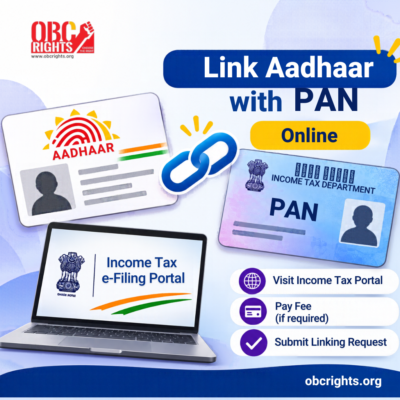
Want to link Aadhaar card and PAN card online? You can complete the process yourself through the Income Tax e-Filing Portal. If your PAN is not linked, you may need to pay a ₹1,000 fee before submitting the linking request.
What Do You Need to Link Aadhaar and PAN?
Keep these details ready:
- Valid PAN number
- Aadhaar number
- Active mobile number to receive OTP
- Payment facility for the applicable fee
Before starting: Check whether your PAN is already linked to Aadhaar using the portal’s Link Aadhaar/View Status service. You do not need to link it again if the status confirms successful linking.
How to Link Aadhaar Card and PAN Card Online?
Follow these two steps on the official Income Tax website.
Step 1: Pay the Aadhaar PAN Linking Fee
- Visit www.incometax.gov.in.
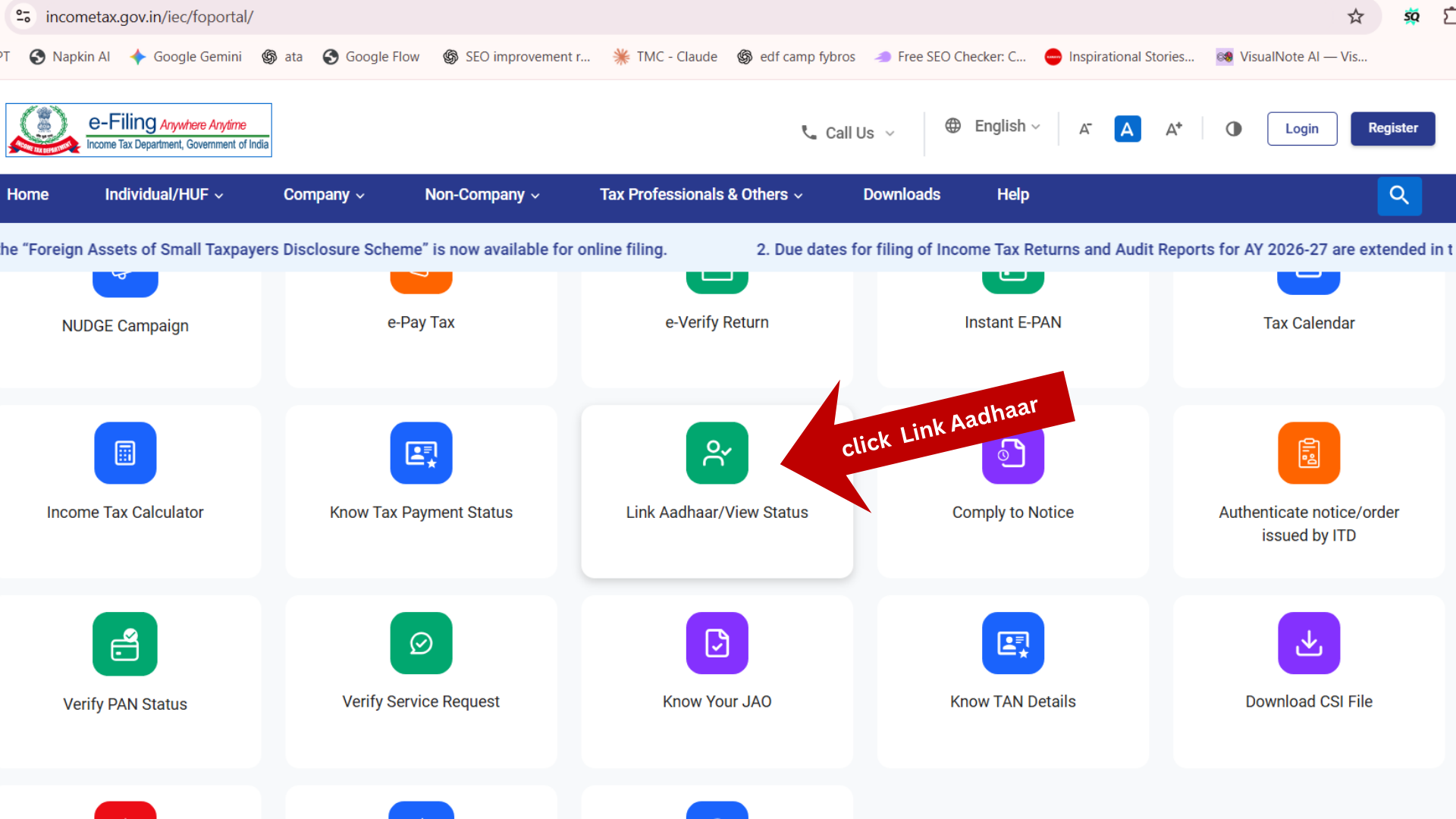
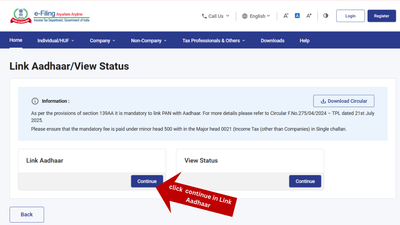
- Select Link Aadhaar under Quick Links.
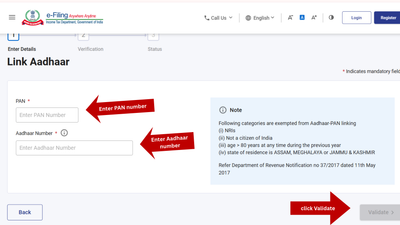
- Enter your PAN and Aadhaar number and select Validate.
- Click Continue to Pay Through e-Pay Tax, if payment is required.
- Select Income Tax Act, 2025 and complete PAN and mobile OTP verification.
- Under Income Tax, select the relevant Tax Year, Other Receipts (500) and Fee for delay in Linking PAN with Aadhaar.
- Complete the payment and save the challan receipt.
Step 2: Submit Your Aadhaar PAN Linking Request
- Return to the Income Tax e-Filing Portal.
- Open Link Aadhaar and enter your PAN and Aadhaar number.
- Click Validate. The portal will verify your payment.
- Enter the required details and click Link Aadhaar.
- Enter the six-digit mobile OTP and select Validate.
A confirmation message will appear when your linking request is successfully submitted.
Important: Paying the fee alone does not complete Aadhaar PAN linking. You must also submit the linking request.
For accurate instructions, refer to the Income Tax Department’s Official Aadhaar Linking Manual.
What Is the Aadhaar PAN Linking Fee?
The delayed Aadhaar PAN linking fee is ₹1,000 for applicable taxpayers.
If you have already paid but the portal cannot find your payment, wait 4–5 working days before retrying.
Certain individuals are exempt from mandatory linking, including notified categories of non-residents, non-citizens and people aged 80 or above. Check the official eligibility rules before making payment.
What If Aadhaar and PAN Are Not Linking?
| Problem | What to Do |
| Name or date of birth mismatch | Correct the details through UIDAI or an authorised PAN service provider. |
| Payment not found | Wait 4–5 working days and retry. |
| Aadhaar linked to another PAN | Contact your Jurisdictional Assessing Officer for delinking assistance. |
| Linking request pending | Check the status later for UIDAI verification. |
An inoperative PAN can affect income tax refunds and result in higher applicable TDS or TCS rates.
How to Confirm Your Aadhaar and PAN Are Linked?
Visit the Income Tax portal, open Link Aadhaar/View Status, enter your PAN and Aadhaar number, and select View Link Aadhaar Status.
The portal will display whether linking is successful or still in progress.
Frequently Asked Questions
1. Can I Link Aadhaar and PAN Without Logging In?
Yes. The Income Tax e-Filing Portal allows linking through its pre-login service.
2. Is Aadhaar-PAN Linking Free?
Delayed linking generally requires a ₹1,000 fee for applicable taxpayers.
3. What If I Paid ₹1,000 but PAN Is Still Not Linked?
Wait 4–5 working days for payment verification, then submit the linking request.
4. Can I Link Aadhaar to an Inoperative PAN?
Yes. You can submit a linking request after paying the applicable fee. PAN reactivation is subject to successful linking and processing.
Updated: 24 November 2026. Portal steps and government rules may change.
For related guidance, read our PAN Card Online Application Guide and How to Apply for an Instant e-PAN Card.